
Teleprompter Display Types Explained
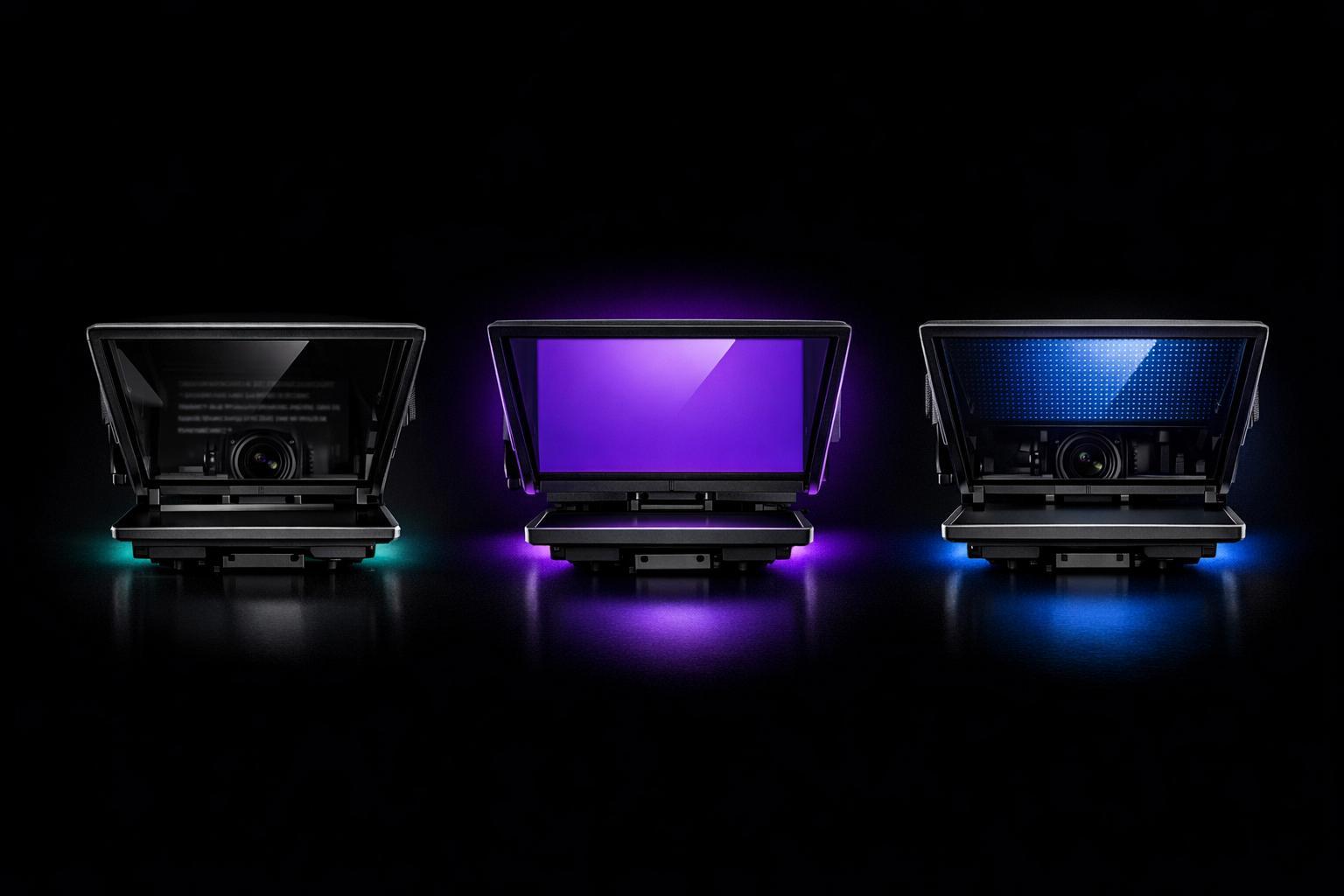
Teleprompter Display Types Explained
Teleprompters are essential tools for delivering smooth, confident on-camera performances. Choosing the right display type - LCD monitors, LED displays, or tablet-based systems - depends on your shooting environment, distance from the camera, and budget. Each option offers unique benefits:
- LCD Monitors: Reliable for studio use with sizes up to 19 inches and brightness levels of 350–1,500 nits. Ideal for medium to long distances (up to 20 feet).
- LED Displays: Best for outdoor or brightly lit setups with high brightness (1,000+ nits) and portable designs.
- Tablet-Based Systems: Affordable and lightweight, perfect for solo creators or controlled environments. Brightness depends on the device.
Key Takeaways:
- Match screen size to your distance (1 inch per foot).
- Use high-brightness displays (1,000+ nits) for outdoor or high-light setups.
- Tablets are cost-effective but may struggle in bright conditions.
Choosing the right teleprompter display ensures better readability, fewer retakes, and a more natural connection with your audience.
Best Teleprompter Size? 12 Inch vs 15 Inch? What is Best For You?
sbb-itb-4a26d6a
What is a Teleprompter Display?
A teleprompter display is the screen - commonly a monitor, tablet, or similar device - that shows the scrolling script in real time during a live broadcast or recording. It’s the key component that ensures the presenter always knows what to say without losing their place.
In setups where the teleprompter is mounted on a camera, the display is positioned beneath the camera lens and faces an angled beam-splitter glass. This glass reflects the text toward the presenter, making it visible to them while staying transparent to the camera. This clever design allows the presenter to maintain direct eye contact with the lens, creating a seamless connection with the audience.
One important detail: the text on the screen must be flipped horizontally (mirror-reversed) so it appears correctly in the reflection. Thankfully, most teleprompter software handles this automatically.
Here’s a helpful explanation:
"A teleprompter is a device that displays scrolling text in front of a camera lens, allowing speakers to read a script while maintaining direct eye contact with the audience or camera." - GVM Official Site
A complete teleprompter system typically includes four main components:
- The screen, which displays the flipped text.
- The beam-splitter glass, which reflects the text toward the presenter.
- A shroud, which blocks external light to keep the reflection sharp.
- Software, which controls features like scroll speed, font size, and text orientation.
Understanding these elements is essential when comparing LCD, LED, and tablet displays for professional teleprompter setups.
Types of Teleprompter Displays
Understanding teleprompter displays means recognizing how different screen types cater to varied production needs. The right choice depends on factors like your shooting environment, the presenter’s distance from the camera, and the specific demands of your project. Let’s break down the three main types and see how they serve different setups, from studios to outdoor locations.
LCD Monitor Displays
LCD monitors are a staple in professional studio teleprompter systems. Designed specifically for this purpose, they come with features like hardware image flipping, built-in tally lights to indicate when the camera is live, and support for broadcast inputs such as 3G-SDI and HDMI.
In terms of brightness, standard studio LCDs provide 350–450 nits, while high-bright models can reach 1,000–1,500+ nits, making them ideal for intense lighting setups. These monitors are built to last, with backlights designed to run for approximately 50,000 hours. When it comes to size, a 10-inch display is suitable for presenters standing within 10 feet of the camera, while larger screens, like 17–19 inches, are better for distances of 20 feet or more.
LED Displays
LED displays shine (literally) in outdoor or brightly lit environments, thanks to their high brightness levels. Professional LED teleprompter monitors typically deliver around 1,000 nits. As one expert puts it:
"The 1000 nit high bright screen is able to deliver clear and vivid text visibility in various lighting conditions... particularly vital for outdoor teleprompting, where sunlight can wash out the display of a standard monitor."
Beyond brightness, LED monitors are built with portability in mind. For example, a 15-inch LED teleprompter with an aluminum chassis can weigh as little as 3.97 lbs, making it an excellent choice for on-location shoots.
Tablet-Based Displays
Tablet-based teleprompters use a tablet, such as an iPad, mounted beneath beamsplitter glass to reflect the script. This setup is popular among independent creators and YouTubers because it’s lightweight, portable, and often uses devices they already own. Plus, if the tablet gets damaged, it’s easy to replace. Apps like Evelize enhance the experience by letting users format scripts, adjust scrolling speed, and control the display directly from their tablet.
However, tablet brightness varies depending on the device, which can affect visibility in very bright conditions. This trade-off makes them better suited for controlled environments or less demanding lighting situations.
How to Choose the Right Display Type
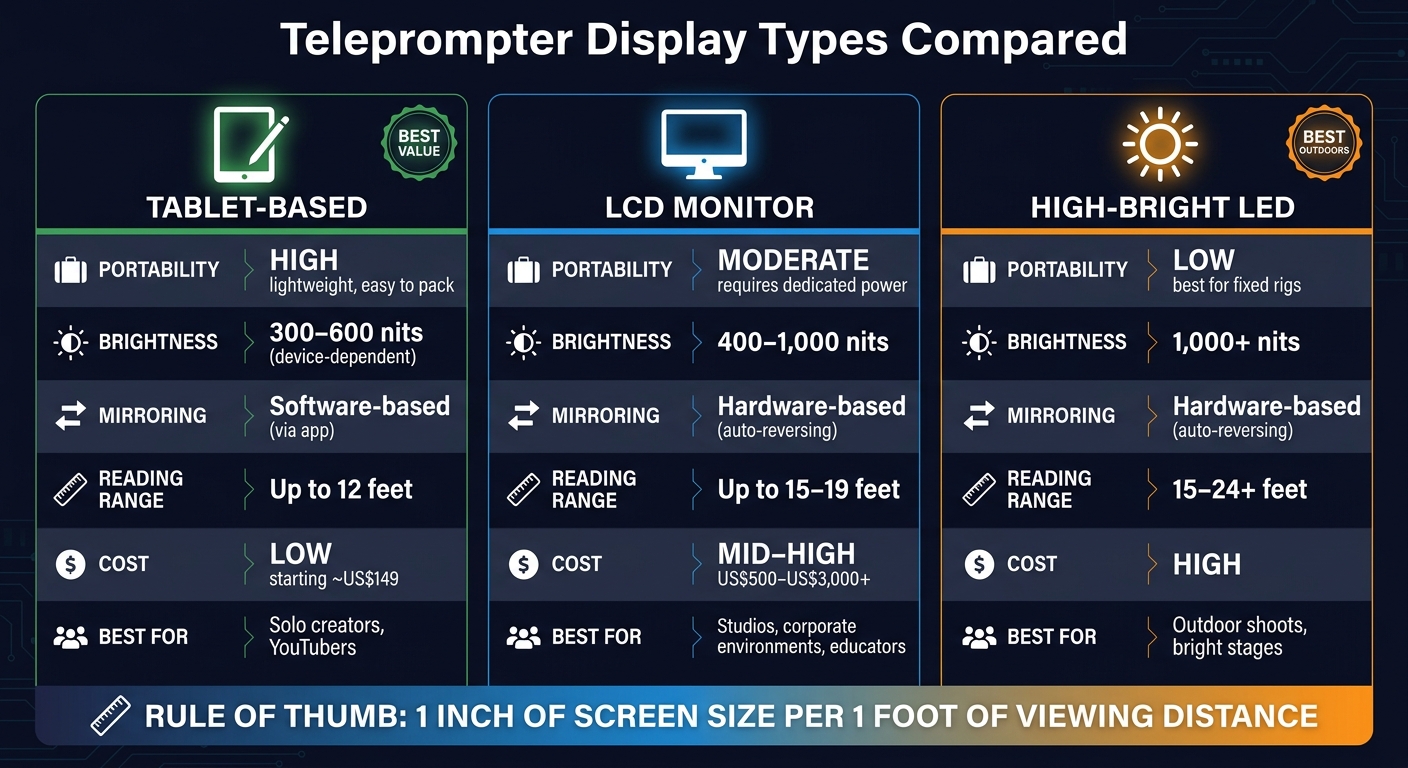
Teleprompter Display Types Compared: LCD vs LED vs Tablet
Display Type Comparison
Here's a quick breakdown of the main options and their features:
| Feature | Tablet-Based | LCD Monitor | High-Bright LED |
|---|---|---|---|
| Portability | High - lightweight, easy to pack | Moderate - requires dedicated power | Low - best for fixed rigs |
| Brightness | 300–600 nits (device-dependent) | 400–1,000 nits | 1,000+ nits |
| Mirroring | Software-based (via app) | Hardware-based (auto-reversing) | Hardware-based (auto-reversing) |
| Reading Range | Up to 12 feet | Up to 15–19 feet | 15–24+ feet |
| Cost | Low (starting around US$149) | Mid to high (US$500–US$3,000+) | High |
| Best For | Solo creators, YouTubers | Studios, corporate environments, educators | Outdoor shoots, bright stages |
This table gives a clear snapshot of what each display type offers. But choosing the right one involves more than just comparing specs - your specific needs and setup play a big role.
Key Factors to Consider
Think about your shooting environment. If you're filming outdoors or in a brightly lit studio, a tablet screen won't be bright enough. You'll need at least 1,000 nits of brightness to make sure your text stays readable under direct sunlight or intense lighting. For indoor setups like home studios or conference rooms, a tablet or LCD monitor works just fine.
Match the screen size to your distance from the camera. A good rule of thumb: for every foot of viewing distance, you’ll need about one inch of screen size. For example, if you're sitting 5 feet away from the camera, a 10–12-inch display will do. But if you're presenting on a stage 20 feet away, a 19-inch monitor or larger ensures the text is easy to read.
Check your camera and tripod setup. Tablet-based prompters are lightweight and compatible with most standard tripods. If you're going for a larger LCD or LED monitor (15 inches or more), you'll need a reinforced bracket and a heavy-duty tripod or C-stand that can handle at least 15 pounds of total weight.
Factor in your budget - but don't let it be the only consideration. Tablet rigs start at around US$149, making them a great option for beginners. On the other hand, professional setups with high-bright monitors and hardware mirroring can range from US$500 to over US$3,000. For fixed-location shoots, investing in a dedicated monitor saves time and improves reliability.
"What sets teleprompter monitors apart isn't resolution - it's luminance, input flexibility, and firmware-level mirroring." - Alex Morgan, Consumer Electronics Guide Writer
Lastly, solo creators should prioritize displays with Bluetooth remote or foot pedal control. This is especially important for tablet setups. Apps like Evelize let you control script formatting, scrolling speed, and display settings directly from your device, making the process seamless.
Setup Tips for Better Readability
When it comes to setting up your teleprompter, small adjustments can make a big difference in how natural and confident you appear on camera. Here are some practical tips to improve readability and ensure smooth delivery.
Screen Size and Viewing Distance
The size of your screen plays a key role in maintaining good eye contact and keeping your performance natural. The general rule of thumb? Match your screen size (in inches) to your distance from the camera (in feet). For example, if you're 10 feet away, a 10-inch screen works well. At 20 feet, consider upgrading to a 24-inch monitor to keep text clear and easy to read.
| Distance from Camera | Recommended Display Size |
|---|---|
| Up to 12 feet | Smartphone, tablet, or 12" monitor |
| 15–19 feet | 15" to 19" monitor |
| 19–24 feet | 24" monitor |
| Beyond 24 feet | 32" monitor |
Position yourself 6 to 10 feet from the camera whenever possible. This range minimizes noticeable eye movement, making it harder for viewers to tell you're reading from a teleprompter. The farther you are, the less your eyes need to travel across the screen, which helps maintain the illusion of direct eye contact.
Once your screen size and distance are set, focus on reducing glare and enhancing visibility for a distraction-free setup.
Reducing Glare and Improving Visibility
Glare can ruin readability and make it harder to stay focused during your delivery. If you're using a teleprompter with beam-splitter glass, ensure the glass is mounted at a perfect 45-degree angle to the camera lens. Even slight adjustments to this angle can significantly cut down on reflections from overhead lighting. If glare persists, adjust your light sources so they don't shine directly on the glass, and use tools like barn doors or flags to block stray light.
Another tip: darken the area behind the camera. Reflections from a brightly lit back wall can bounce onto the glass, creating distractions. For outdoor shoots, a high-brightness monitor (1,000 nits or more) paired with a shade hood ensures your script remains visible even in direct sunlight.
When cleaning beam-splitter glass, start with a manual air blower to remove dust. Follow up with a microfiber cloth to avoid scratching the surface, which could scatter light and reduce clarity.
Once your hardware setup is optimized, shift your attention to script formatting for better readability.
Script Formatting for Easier Reading
A well-formatted script can make a world of difference in how smoothly you deliver your lines. Use white text on a black background to reduce eye strain and prevent screen glow from reflecting onto your face - especially helpful if you wear glasses. Keep lines short, and use a font size of at least 48px for better legibility.
Scrolling speed is equally important. Most adults speak at 130 to 150 words per minute, while seasoned broadcasters often read at 150 to 180 wpm. Test the scrolling speed by reading the first 30 to 60 seconds of your script before recording to find a comfortable pace. Tools like Evelize allow you to tweak scrolling speed and text settings on the fly, making adjustments quick and easy.
Adding visual cues to your script - such as [slow down], [smile], or ... for pauses - can help you sound more natural and engaging. These small reminders keep your delivery dynamic and prevent it from feeling robotic.
"You know you are using a teleprompter correctly when it looks like you are not using a teleprompter." - PrompterPeople
Conclusion
Choosing the right teleprompter display can make a big difference in on-camera performance. For close-up shots, smartphones work well. Tablets handle most studio needs, while high-brightness monitors are essential for setups with intense lighting or distances over 15 feet.
The key takeaway? Pairing the right hardware with user-friendly software ensures better eye contact and smoother delivery. In fact, 85% of speakers report improved eye contact and smoother delivery when using a teleprompter setup that fits their needs.
This is where tools like Evelize shine. With features like adjustable scrolling speed, customizable fonts, and 4K/60 FPS recording, it helps you deliver your script with precision and confidence.
As one content creator shared:
"Making content can be hectic... This makes every take simple and less amount of time that I have to reshoot. Amazing product and I will definitely recommend."
Fewer retakes mean less time spent editing, which is a big deal when 91% of businesses are expected to use video as a marketing tool by 2026. By matching your display to your setup and applying the tips from this guide, you can streamline your workflow and stay ahead of the competition. Let the right tools do the heavy lifting so you can focus on delivering your message.
FAQs
How do I choose between LCD, LED, and tablet teleprompters?
Your decision boils down to your budget, setup, and production requirements. Tablet teleprompters are a budget-friendly and portable option, perfect for vloggers or smaller studios. However, you'll need a reliable tripod and a teleprompter app to make them work effectively. On the other hand, LCD/LED setups come with built-in monitors that connect directly to your computer, providing a polished and professional experience. These are ideal for high-end productions and allow for long-distance reading without needing additional devices or software.
What brightness do I need for filming outside?
For outdoor filming, lighting requirements depend on sunlight intensity. Aim for 2,000–3,000 nits in shaded areas, 3,000–4,000 nits in partial sunlight, and 4,000–5,000+ nits for direct sunlight. To improve screen visibility, consider using tools like a sunshade, a glare-reducing screen protector, or repositioning the screen to minimize reflections. Evelize simplifies your workflow, helping you create top-notch videos no matter the lighting challenges.
Will my tripod and camera support a larger teleprompter monitor?
When using a larger teleprompter monitor, it's essential to consider the combined weight of the teleprompter, camera, and mounting hardware. A bigger monitor adds to the total payload, so make sure your tripod can support at least 15 pounds. Also, verify that your camera and lens diameter match the teleprompter model. Larger teleprompters are typically built for professional ENG or cinema cameras, so compatibility is key.
Related Posts
Ready to Elevate Your Content?
Try Evelize for free and experience the easiest way to create, edit, and share professional videos. Script writing, teleprompter, and powerful video tools - all in one app!


