
Best Camera Orientation for Different Platforms
Best Camera Orientation for Different Platforms
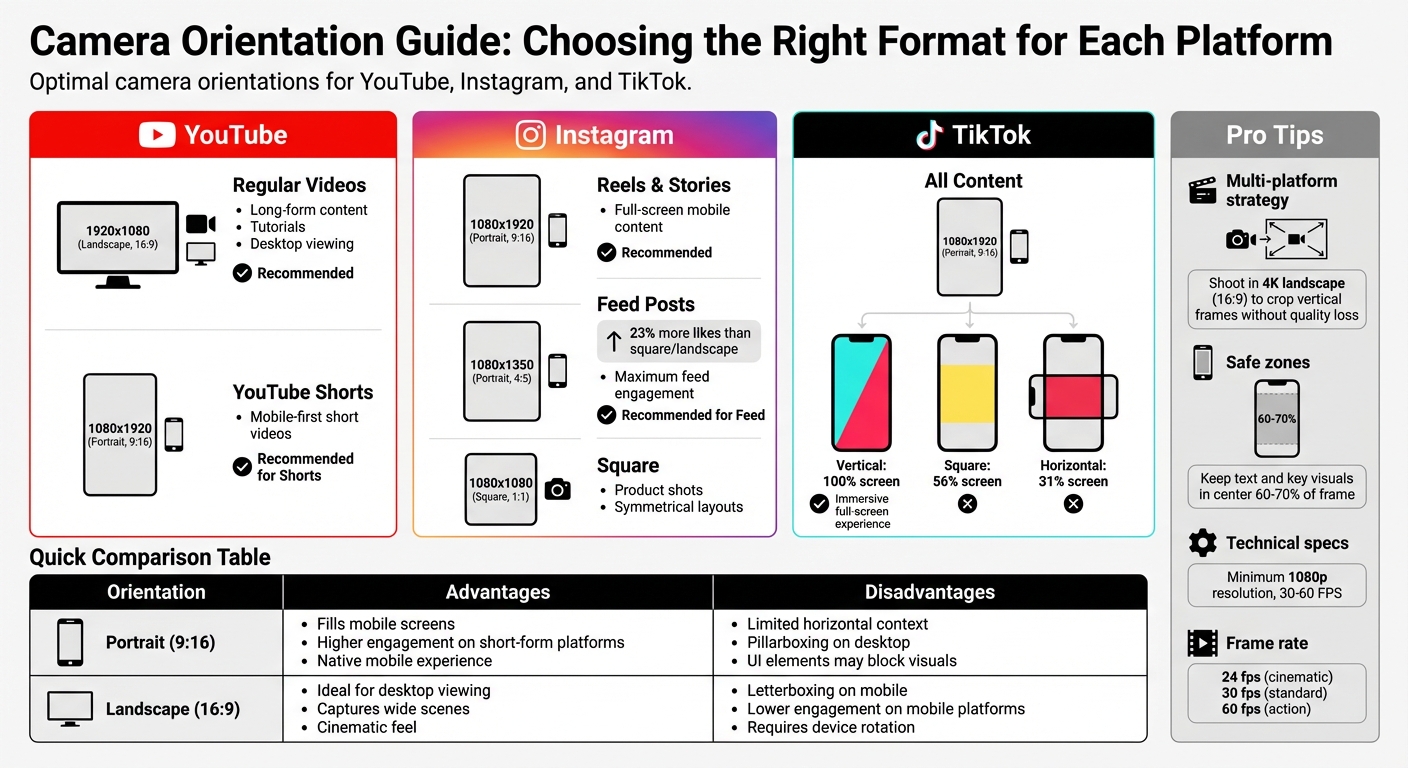
When creating videos, choosing the right camera orientation is key to maximizing engagement on different platforms. Here's a quick guide:
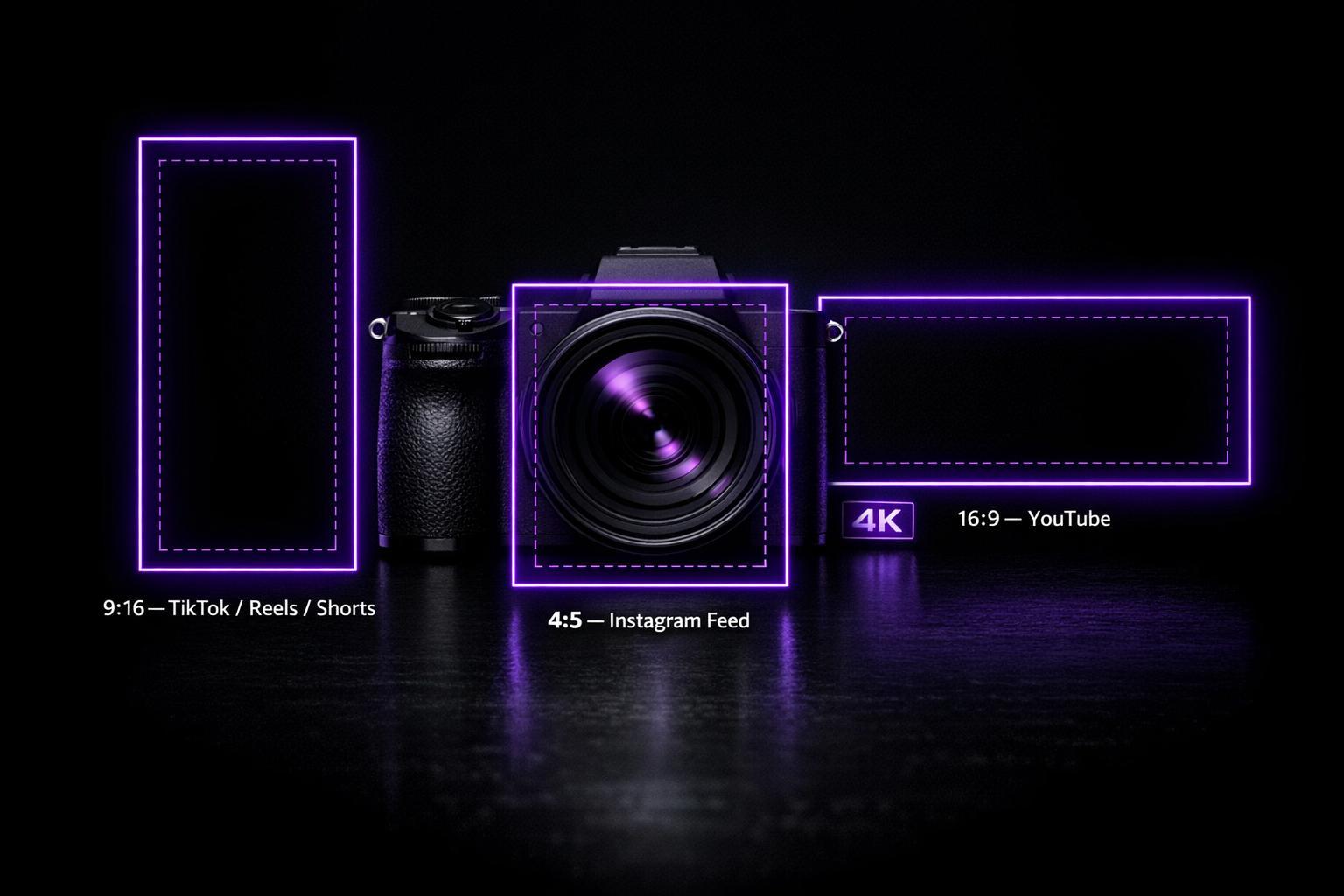
- Portrait (9:16): Best for mobile-first platforms like TikTok, Instagram Reels, Stories, and YouTube Shorts. It fills the screen, aligns with how users hold their phones, and avoids black bars.
- Landscape (16:9): Ideal for YouTube's long-form content and desktop viewing. It captures more horizontal context and aligns with widescreen devices.
- Portrait (4:5): Works well for Instagram feed posts, taking up more screen space than square or landscape formats, leading to better engagement.
Key Takeaways:
- YouTube: Use 16:9 for regular videos and 9:16 for Shorts.
- Instagram: 9:16 for Reels/Stories, 4:5 for feed posts.
- TikTok: Stick to 9:16 for full-screen, immersive videos.
For multi-platform use, shoot in 4K landscape (16:9) to crop vertical frames without losing quality. Always keep text and visuals within "safe zones" to avoid interference from UI elements. Frame rates of 30-60 FPS and resolutions of at least 1080p ensure smooth, sharp videos.
Pro Tip: Tailor your content to each platform's format for better reach and engagement.
Camera Orientation Guide by Social Media Platform
1. YouTube
Optimal Orientation
Landscape (horizontal) is the go-to format for YouTube's long-form content. This orientation mirrors our natural field of vision and fits perfectly with the 16:9 aspect ratio, which is ideal for widescreen devices. As Zach Lezberg from Small Business Expo puts it:
"Horizontal filming is the standard choice for filmmakers and content creators alike. Why? Quite simply, it aligns with how we naturally see the world."
This wider frame is perfect for capturing more of the scene, making it ideal for tutorials, product demonstrations, or any content that benefits from including background details. However, YouTube Shorts are an exception, requiring a vertical 9:16 orientation tailored for mobile viewing.
Aspect Ratio
16:9 is the standard for regular YouTube videos. This ratio is what YouTube's player is designed for, and using anything else can lead to black bars on the sides or top and bottom of your video. Pat, Founder of ClipCreator.ai, explains it well:
"16:9 is the king of horizontal video. It's the default shape for pretty much every modern TV and computer monitor."
For YouTube Shorts, the 9:16 format (typically 1080x1920 pixels) ensures your video fills the entire mobile screen, creating a seamless viewing experience.
Recommended Settings
When exporting your videos, aim for at least 1080p (1920x1080), but 4K (3840x2160) is even better. Higher resolutions give YouTube better source material, resulting in sharper playback even after compression. For frame rates, choose 24 fps for a cinematic feel, 30 fps for standard content, or 60 fps for fast-paced action.
To maximize viewer engagement, position the camera at eye level and center your subject. This setup not only looks professional but also simplifies repurposing your footage for vertical formats. Adding soft backlighting can further enhance the subject by reducing shadows and creating a polished look.
Next, let’s see how these principles translate to Instagram.
sbb-itb-4a26d6a
2. Instagram
Optimal Orientation
Instagram thrives on vertical content - tailor your orientation to match the platform's strengths. For Reels and Stories, the vertical 9:16 ratio is a must. It fills the entire mobile screen, delivering the immersive experience users have come to expect. When it comes to feed posts, portrait 4:5 has become the new go-to, edging out the traditional square format.
Why the change? Portrait posts dominate more vertical screen space compared to square or landscape formats. Jamie Partridge, Founder & CEO of PostEverywhere, explains:
"Portrait (4:5) is the best choice for engagement. It takes up the most screen real estate in the feed, which means users spend more time looking at your content".
The data supports this claim - portrait posts earn 23% more likes on average than square or landscape formats.
Aspect Ratio
Each Instagram feature comes with its own aspect ratio requirements to maximize engagement. Reels and Stories are designed for 9:16 (1080 x 1920 pixels), while feed posts shine with 4:5 (1080 x 1350 pixels). The classic square 1:1 format still works well for symmetrical layouts or product shots, but it takes up less screen space. Landscape 1.91:1, however, struggles on mobile, appearing smaller and often overlooked.
One key update: Instagram's profile grid now displays content in a 3:4 aspect ratio instead of the traditional 1:1 square. To avoid awkward cropping in grid previews, make sure your main subject is vertically centered. Additionally, for carousel posts, ensure that all slides match the aspect ratio of the first slide - Instagram will crop mismatched slides automatically.
Recommended Settings
Stick to a baseline resolution of 1080 pixels wide for all Instagram content. While 4K is technically supported, a well-optimized 1080p file retains sharpness after Instagram's compression. For smooth playback, aim for a minimum of 30 FPS, or go for 60 FPS for ultra-smooth motion.
Pay attention to Instagram's safe zones by keeping key text, logos, and visuals within the center area to prevent interference from interface elements. When exporting, use the H.264 codec with a bitrate of about 3,500 kbps to 10-12 Mbps to maintain detail despite Instagram's compression.
With Instagram's vertical-first design covered, let’s dive into TikTok’s exclusively vertical format.
3. TikTok
Optimal Orientation
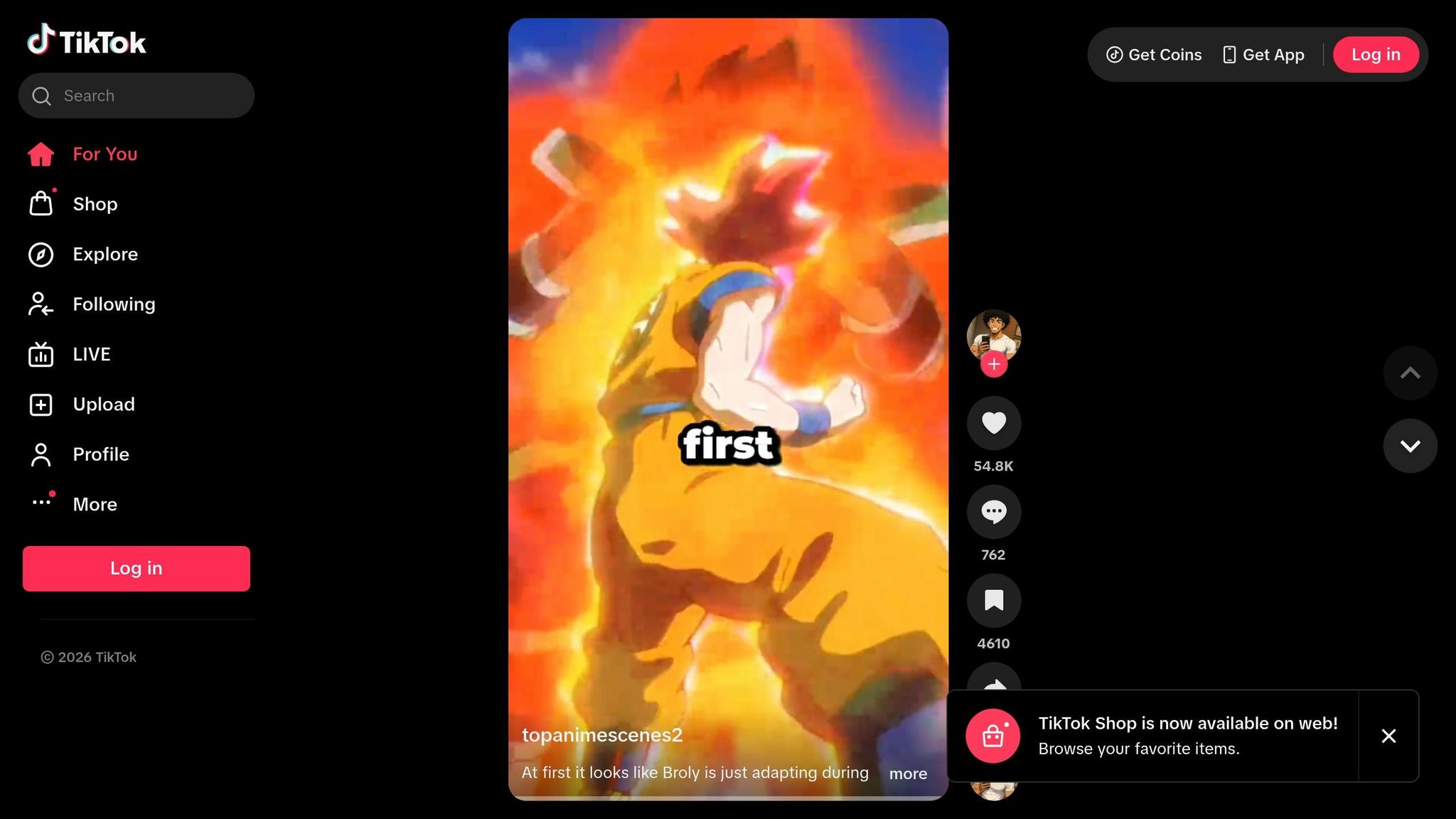
TikTok thrives on immersive vertical video - it's key for both user engagement and algorithmic success. The 9:16 orientation takes up the entire screen, creating a fully immersive experience. In comparison, square videos cover about 56%, and horizontal videos shrink down to just 31% of the screen. William Gasner, CMO at Stack Influence, sums it up perfectly:
"Going vertical isn't just visually appealing – it's an algorithmic advantage".
To get the best results, always record in portrait mode. This ensures your content aligns with TikTok's core technical requirements, which we'll dive into next.
Aspect Ratio
TikTok is designed with mobile users in mind, making the 9:16 aspect ratio with a resolution of 1080 x 1920 pixels essential. While the platform supports 4K, videos are typically downscaled to 1080p, so recording in Full HD strikes the right balance between quality and file size.
Keep TikTok's "safe zones" in mind when framing your shots. UI elements like captions, usernames, and interaction buttons overlay the video, so it's best to position key visuals within a 900 x 1400 pixel area. Avoid placing anything important in the top 150 pixels, bottom 270 pixels, or the 100 pixels on the right side of the frame.
Recommended Settings
When exporting videos for TikTok, stick to MP4 or MOV formats with H.264 encoding. For standard content, use 30 FPS, but for fast-paced scenes - like dance routines or sports - opt for 60 FPS. A bitrate of 10–15 Mbps ensures sharp visuals without bloating file sizes.
Enable HD upload in TikTok's settings to reduce compression and maintain quality. File size limits vary: Android supports up to 72 MB, iOS allows 287.6 MB, and uploads via web browsers can go up to 500 MB. Also, remember that good lighting makes a big difference - well-lit videos compress better and appear crisper post-upload.
The Best Way to Shoot Vertical Videos... is to not shoot vertical
Pros and Cons
When choosing between portrait and landscape orientation, the decision can significantly influence how your content performs across various platforms. Each format has its own strengths and weaknesses, depending on where and how the content is consumed.
Portrait (9:16) works exceptionally well on mobile-focused platforms. It takes up the entire screen, creating an immersive experience that matches how people naturally use their phones. This often leads to higher engagement on platforms like Instagram Reels or TikTok. However, the vertical format has its downsides - it limits the amount of horizontal context you can show and might face interference from on-screen UI elements. Plus, on desktop, vertical videos often appear with pillarboxing, which can detract from the viewing experience.
Landscape (16:9), on the other hand, is the go-to format for desktop and cinematic viewing. It’s perfect for content that benefits from a wider frame, like tutorials, vlogs, or storytelling that requires environmental context. It also remains the standard for YouTube’s main feed. The drawback? On mobile-first platforms, landscape videos are displayed with letterboxing, which can make them feel less native to the platform. Some algorithms might even treat them as lower-quality content, potentially reducing their reach. Content strategist Alexander Ershov sums it up well:
"The difference between a video that gets 500 views and one that gets 50,000 views is often not the content quality - it is whether the first three seconds look native to the platform."
Here’s a quick breakdown of the pros and cons for each orientation:
| Orientation | Advantages | Disadvantages |
|---|---|---|
| Portrait (9:16) | Fits mobile screens perfectly; enhances engagement on short-form platforms | Lacks horizontal context; pillarboxing on desktop; UI elements may block key visuals |
| Landscape (16:9) | Great for desktop and cinematic viewing; excellent for wide scenes, tutorials, and vlogs | Letterboxing on mobile; requires rotating the device; may face algorithmic challenges on mobile platforms |
If you’re creating content for multiple platforms, shooting in 4K using a landscape (16:9) format is a smart choice. This allows you to crop a high-quality vertical frame from the center while keeping the resolution intact. To make this work, ensure your subject and key visuals are positioned within the middle 60–70% of the frame for maximum versatility.
Conclusion
When it comes to choosing the right camera orientation, there isn’t a one-size-fits-all solution - it’s all about understanding where your audience will be watching. Platforms like YouTube favor the 16:9 aspect ratio for long-form content, while Shorts, TikTok, and Instagram Reels thrive on 9:16 vertical videos. For Instagram’s main feed, the 4:5 portrait orientation works best, as highlighted earlier. As Pat, Founder of ClipCreator.ai, explains:
"Choosing the right aspect ratio has become a critical creative decision that shapes how your audience sees and connects with your story."
The technical details are just as important as the creative vision. For example, shooting in 4K allows you to crop 16:9 footage into 9:16 without losing quality, and recording at 60fps ensures smoother motion. Be mindful of framing - keep essential elements like text, faces, and calls-to-action within the central area to avoid interference from on-screen interfaces. Aligning your technical setup with your creative goals makes the production process more efficient, as tools like Evelize demonstrate.
Evelize streamlines video production with features like built-in social media presets, 4K resolution, 60fps, HDR support, and integrated teleprompter and editing capabilities.
FAQs
Should I shoot in 4K if I plan to crop for Reels, Shorts, and TikTok?
Shooting in 4K resolution is a smart choice when creating content for platforms like Reels, Shorts, and TikTok. With a resolution of 3840x2160 pixels, 4K provides plenty of room for cropping and zooming while keeping the image sharp and detailed. This is especially helpful when adapting your footage to the vertical 9:16 aspect ratio these platforms favor, ensuring your videos look polished and visually appealing.
How do I keep text and faces out of each platform’s UI “safe zones”?
When creating vertical videos (1080x1920), it's crucial to keep key visuals within the safe zone - about 900x1400 pixels centered in the frame. This helps avoid platform UI elements like captions or buttons from covering important details. Tools like safe zone overlays can help you preview your content, ensuring that essential elements like text and faces stay visible on platforms like TikTok, Instagram Reels, and YouTube Shorts.
What FPS should I use for talking-head videos versus fast action?
When creating talking-head videos, 30 FPS works best for a natural and lifelike appearance. For scenes with fast-paced action, 60 FPS is the way to go, as it captures motion more smoothly. A higher frame rate minimizes motion blur, making dynamic visuals sharper and more engaging.
Related Posts
Ready to Elevate Your Content?
Try Evelize for free and experience the easiest way to create, edit, and share professional videos. Script writing, teleprompter, and powerful video tools - all in one app!


