
A/B Testing for Video Thumbnails
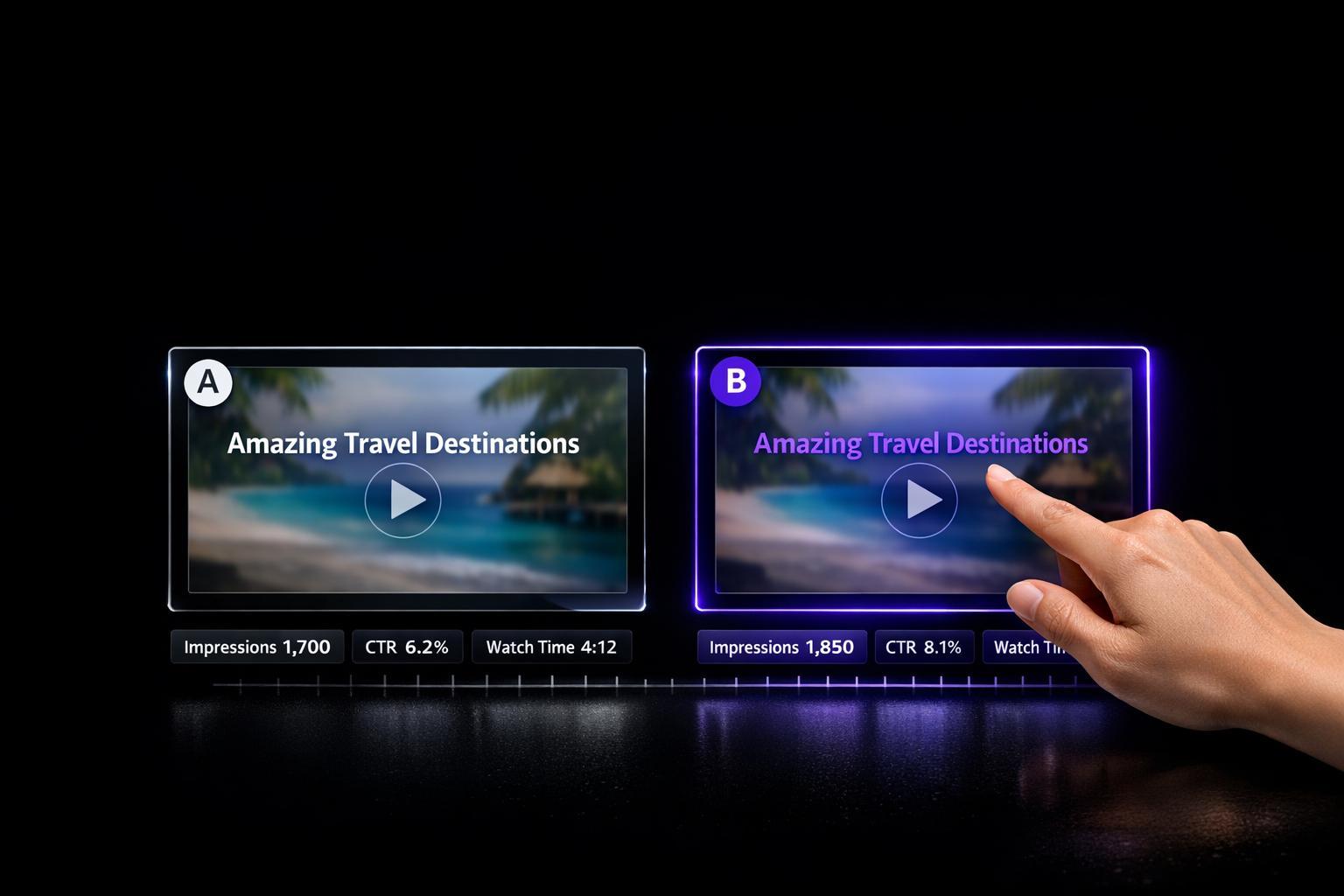
A/B Testing for Video Thumbnails
Want more views on your videos? Start with better thumbnails. A/B testing helps you figure out what works by comparing two or more thumbnail designs. Platforms like YouTube’s "Test & Compare" tool let you test variations based on click-through rates (CTR) or watch-time. Here’s what you need to know:
- Why thumbnails matter: 90% of top YouTube videos use custom thumbnails, and optimized designs can boost CTR by up to 300%.
- How A/B testing works: Test one element at a time (like colors, text, or facial expressions) to see what grabs attention.
- Best practices: Use high-resolution images (1280×720 or higher), run tests for 7–14 days, and aim for at least 1,500–2,000 impressions per variant.
- Metrics to watch: CTR, watch-time share, and average view duration help you pick the best thumbnail without misleading viewers.
A/B testing isn’t just about clicks - it’s about learning what resonates with your audience. Even small improvements in CTR (like 0.5%) can mean thousands of extra views. Start testing today to refine your strategy and grow your channel.
YouTube A/B Thumbnail Testing EXPLAINED!
sbb-itb-4a26d6a
Preparing Thumbnails for A/B Testing
Before diving into testing, it's crucial to create thumbnails that focus on specific design elements while maintaining a polished, professional look across all variations.
Designing High-Quality Thumbnails
Start with a clear hypothesis like: "Changing [element] should increase [metric] because [reason]." For instance, you might hypothesize, "Using a surprised facial expression instead of a neutral one should boost CTR because emotional expressions spark curiosity." This keeps your testing grounded and measurable.
It’s essential to tweak just one variable at a time. If you change both the background color and the facial expression, it becomes impossible to pinpoint which adjustment influenced the results. Test individual elements - like faces versus no faces, text versus no text, or warm colors (reds, oranges) versus cool colors (blues, greens) - to gather precise insights.
Many creators opt to design 2–3 variations per test. These typically include a "Safe" version (standard style), a "Bold" version (high contrast), and a "Wild Card" version (more experimental). Always preview thumbnails at smaller sizes, approximately 320×180 pixels, to confirm that text remains readable and faces are easily recognizable.
Focus on impactful elements like facial expressions, text overlays, and color contrast. Including human faces with strong emotions can increase CTR by 20–30% compared to neutral images. Keep text overlays short - three to four words max - and use bold, sans-serif fonts for clarity. When editing, ensure faces are prominently sized to stand out on mobile screens. High-contrast colors and unexpected design elements can make your video stand out in a crowded feed.
Once your designs are polished, take advantage of specialized tools to ensure your visuals are captured with precision.
Using Evelize for Thumbnail Creation
Evelize offers 4K resolution and HDR support, giving you an edge when crafting thumbnails. YouTube automatically downscales thumbnails in A/B tests to 480p if even one option is below 720p resolution. By recording in 4K with HDR, you ensure your stills remain sharp and vibrant, even after YouTube’s compression.
Evelize’s editing tools make it simple to extract precise frames. Its trimming and cropping features let you capture the exact moment that conveys the perfect emotion or visual. Recording at 60 FPS provides twice as many frame options, making it easier to find that split-second expression of surprise, excitement, or curiosity.
Even Evelize’s customizable teleprompter settings can indirectly enhance your thumbnails. A well-paced script with the right font size and scrolling speed helps improve your delivery on camera. A natural, engaging performance translates into authentic emotions, which are key for creating click-worthy thumbnails. With Evelize, you can seamlessly capture video content and extract high-quality thumbnail stills, ensuring consistency between the thumbnail and the video itself.
How to Conduct A/B Testing for Video Thumbnails
This step-by-step approach builds on your earlier efforts to design engaging thumbnails, turning creative decisions into measurable outcomes.
Setting Up A/B Tests on YouTube
YouTube Studio offers a handy Test & Compare feature to simplify thumbnail testing. However, there are a few prerequisites. This tool is accessible only on desktop, requires advanced features to be enabled on your channel, and excludes certain video types like Shorts, videos marked "Made for Kids", private videos, and live events that are still ongoing.
Here’s how to set up a test:
- For new videos: Click CREATE > Upload videos.
- For existing videos: Navigate to Content, select the video, and click A/B testing in the Thumbnail section.
Choose Thumbnail only, upload up to three thumbnail variations, and click Done to start the test.
Tests typically run for 7 to 14 days. Keep in mind that if you change the title or thumbnail during the test, YouTube will automatically stop the experiment. YouTube evaluates results based on watch time share, not just click-through rate. As the platform explains, "To help your video get high-quality engagement, we optimize tests for overall watch time over other metrics, like click-through rate". This approach ensures you avoid selecting a clickbait thumbnail that might attract clicks but fail to retain viewers.
Once your test is live, following some best practices will help you gather reliable and actionable insights.
Best Practices for Running Tests
Maintain high thumbnail resolution. Every variant should meet or exceed 1280×720 resolution. If even one thumbnail in the test is below 720p, YouTube will downscale all thumbnails in that test to 480p. For example, a tech review channel ran a test comparing two thumbnails: one with just the product (7.32% CTR) and another featuring the creator’s surprised expression (9.19% CTR). The latter showed a 25.5% improvement.
Allow sufficient time and impressions for accurate results. Aim for at least 1,500 to 2,000 impressions per variant to gather meaningful data. Tests with fewer than 1,000 impressions per variant have a 43% chance of producing false positives, potentially leading to incorrect conclusions. Running tests for 7 to 14 days also helps account for changes in viewer behavior throughout the week. Interestingly, 23% of tests that show a "winner" by day three reverse results by day seven.
Avoid running tests during unusual circumstances. Major news events, holidays, or viral trends can distort your data. If you’re new to A/B testing, start with older videos to avoid impacting the launch momentum of fresh content.
Document your findings. Use a spreadsheet to log details like test dates, hypotheses, variables tested, winning thumbnails, CTR improvements, and watch time data. Over time, this will help you build a "thumbnail playbook" tailored to your audience's preferences.
Analyzing A/B Test Results
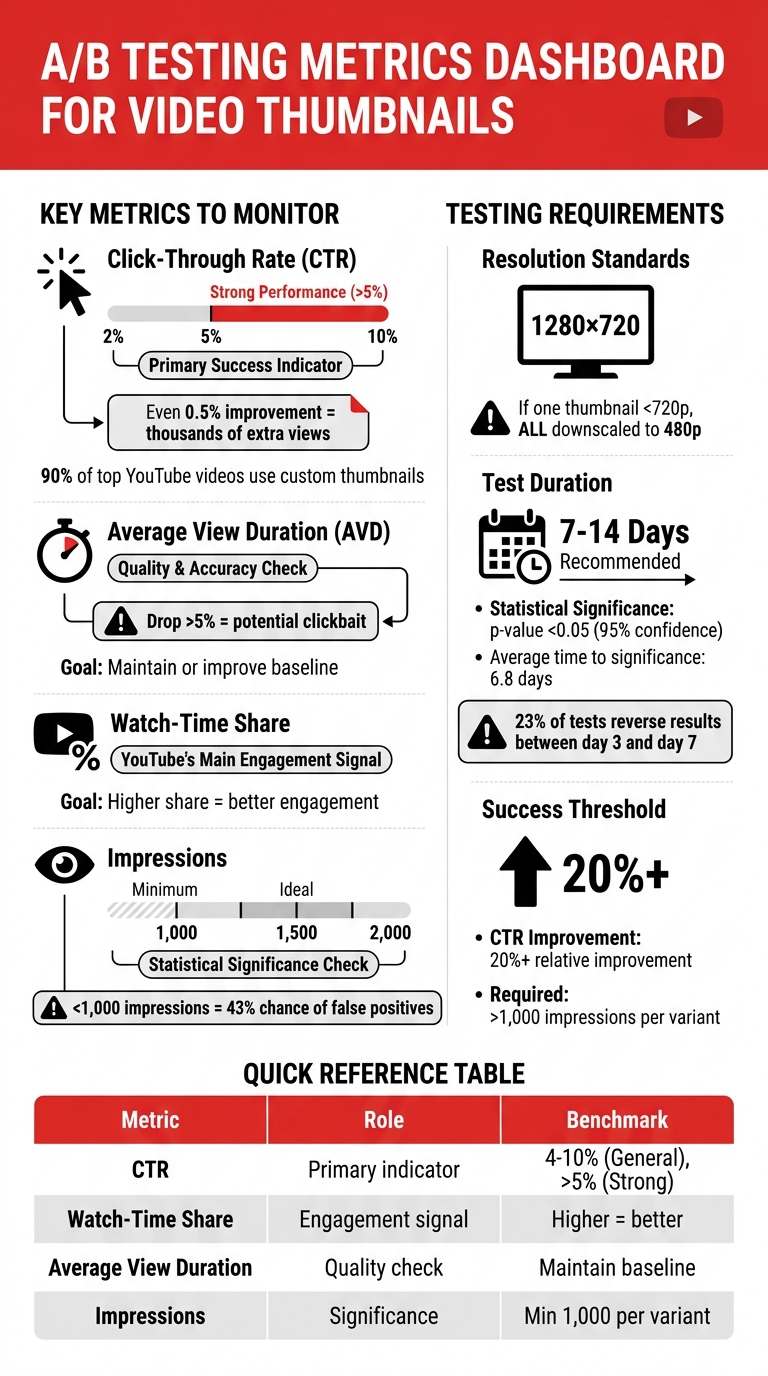
A/B Testing Metrics and Benchmarks for Video Thumbnails
After running your A/B test, it’s time to dig into the data and decide which thumbnail works best. While YouTube's Test & Compare tool emphasizes watch-time share, you’ll want to review multiple metrics to get a well-rounded view of performance.
Key Metrics to Monitor
To make an informed decision, focus on these critical metrics:
- Click-Through Rate (CTR): This is your main indicator of success. On YouTube, CTRs generally range between 2% and 10%, with anything above 5% considered strong. Even a small improvement - like 0.5% - can translate into thousands of extra views. Keep in mind that custom thumbnails play a big role here; about 90% of top-performing YouTube videos use them instead of auto-generated ones.
-
Average View Duration (AVD): While a high CTR is great, it’s not enough if viewers don’t stick around. If a thumbnail drives clicks but viewers quickly leave, it could mean the thumbnail is misleading. As the Thumbnailr Team advises:
"A thumbnail that increases CTR but decreases watch time might hurt your overall performance. Ensure your thumbnail accurately represents your content".
- Impressions: For your results to hold weight, each thumbnail variation needs enough exposure. Aim for at least 1,000 impressions per variant, but 1,500 to 2,000 impressions are ideal for more reliable conclusions.
| Metric | Role in Testing | Benchmark |
|---|---|---|
| Click-Through Rate (CTR) | Primary success indicator | 4–10% (General), >5% (Strong) |
| Watch-Time Share | YouTube's main engagement signal | Higher share = better engagement |
| Average View Duration | Quality and accuracy check | Maintain or improve video baseline |
| Impressions | Statistical significance check | Minimum 1,000 per variant |
Choosing the Winning Thumbnail
After reviewing the metrics, select the winning thumbnail based on statistical significance. Wait until the test reaches a p-value of less than 0.05, which reflects a 95% confidence level. On average, it takes about 6.8 days for thumbnail tests to reach this milestone. Be cautious, though - early results can shift by the seventh day.
Before finalizing, ensure the thumbnail isn’t misleading. If one variant shows a higher CTR but causes a drop in view duration of more than 5%, it might be clickbait. Marcus Chen, a YouTube Optimization Consultant, emphasizes:
"Poor-quality tests generate false conclusions that actively harm decision-making".
Here’s an example: In November 2025, a tech review channel with 287,000 subscribers tested two thumbnails for a smartphone comparison video. Variant A (just the product) had a 7.32% CTR, while Variant B (creator’s face with emotion plus product) achieved a 9.19% CTR. The test reached statistical significance (p < 0.0001) with roughly 28,800 impressions per variant. The difference in average view duration was only five seconds (6:47 vs. 6:52), confirming that the face-inclusive thumbnail wasn’t misleading.
Once you’ve chosen the winner, analyze why it succeeded. Did the facial expression, text size, or background color make it stand out? Document these insights in your testing log to create a thumbnail strategy tailored to your audience. A relative CTR improvement of 20% or more - provided each variant has over 1,000 impressions - is a strong indicator of success.
Finally, don’t forget to check how the winning thumbnail looks on mobile. With about 70% of YouTube views happening on smartphones, a thumbnail that’s hard to read on smaller screens could underperform for most of your audience.
Conclusion and Next Steps
A/B testing is your go-to tool for making informed decisions. It takes the guesswork out of the equation, helping you pinpoint what drives clicks and engagement.
Key Takeaways
Let the data guide you. Test one element at a time - whether it’s the background color, facial expression, or text overlay. Testing multiple elements simultaneously muddies the waters, making it hard to figure out what actually made a difference [5,6,8]. And don’t forget: a high click-through rate (CTR) means nothing if viewers abandon your video quickly. YouTube’s 2025 algorithm focuses on viewer satisfaction, so misleading thumbnails can hurt, leading to a 30% drop in view counts.
Small changes add up over time. Since thumbnails influence CTR three times more than titles, they deserve your attention. With 70% of YouTube views happening on mobile devices [6,8], always preview your design at smaller sizes to ensure text and visuals remain clear.
Evelize can help you level up your video quality. Its 4K, HDR-quality footage pairs perfectly with a strong, data-backed thumbnail strategy. Together, they can significantly boost your video’s performance.
Stick to these practices, and let each test fine-tune your approach for even better results.
Continuing Optimization
Your testing process should grow and adapt as audience preferences and trends shift. A/B testing isn’t a one-and-done effort - it’s an ongoing strategy. What works today might not work tomorrow. As YouTube expert Derral Eves puts it:
"The difference between good and great on YouTube is testing. Most creators upload and pray. Professionals upload and measure".
Once you identify a winning thumbnail, dig deeper. Was it the brighter background? The larger face? Simpler text? Pinpoint the reason for its success and carry that insight forward [3,8]. Over time, these lessons will help you build a custom playbook tailored to your channel’s audience. Keep a log of your tests and results to move beyond generic advice and focus on what works specifically for you [5,8].
Even if you find a winning formula, don’t get too comfortable. Revisit and test your strategy regularly to stay aligned with your audience’s evolving preferences.
FAQs
How many thumbnail versions should I test at once?
For the most effective results, try testing up to three different thumbnail versions at once using YouTube's 'Test & Compare' feature. This method allows you to collect useful data over a 7–14 day timeframe, making it easier to refine your thumbnails and boost both click-through rates and engagement.
How do I know my test results are statistically reliable?
To make sure your A/B test results are reliable, aim to run the test for 7–14 days and gather enough data - like at least 1,000 impressions per variation. Focus on testing just one element at a time (such as color, facial expression, or text). This approach ensures you can clearly identify what’s driving performance changes. By following these steps, you minimize the chances of random factors skewing your results and increase confidence in your findings.
What if a thumbnail boosts CTR but hurts watch time?
If a thumbnail boosts click-through rate (CTR) but leads to lower watch time, it can negatively impact overall engagement and hurt the video's ranking. YouTube's algorithm prioritizes both CTR and viewer retention, so finding the right balance is key to achieving better performance and visibility.
Related Posts
Ready to Elevate Your Content?
Try Evelize for free and experience the easiest way to create, edit, and share professional videos. Script writing, teleprompter, and powerful video tools - all in one app!


