
Ultimate Guide to Video SEO Metadata
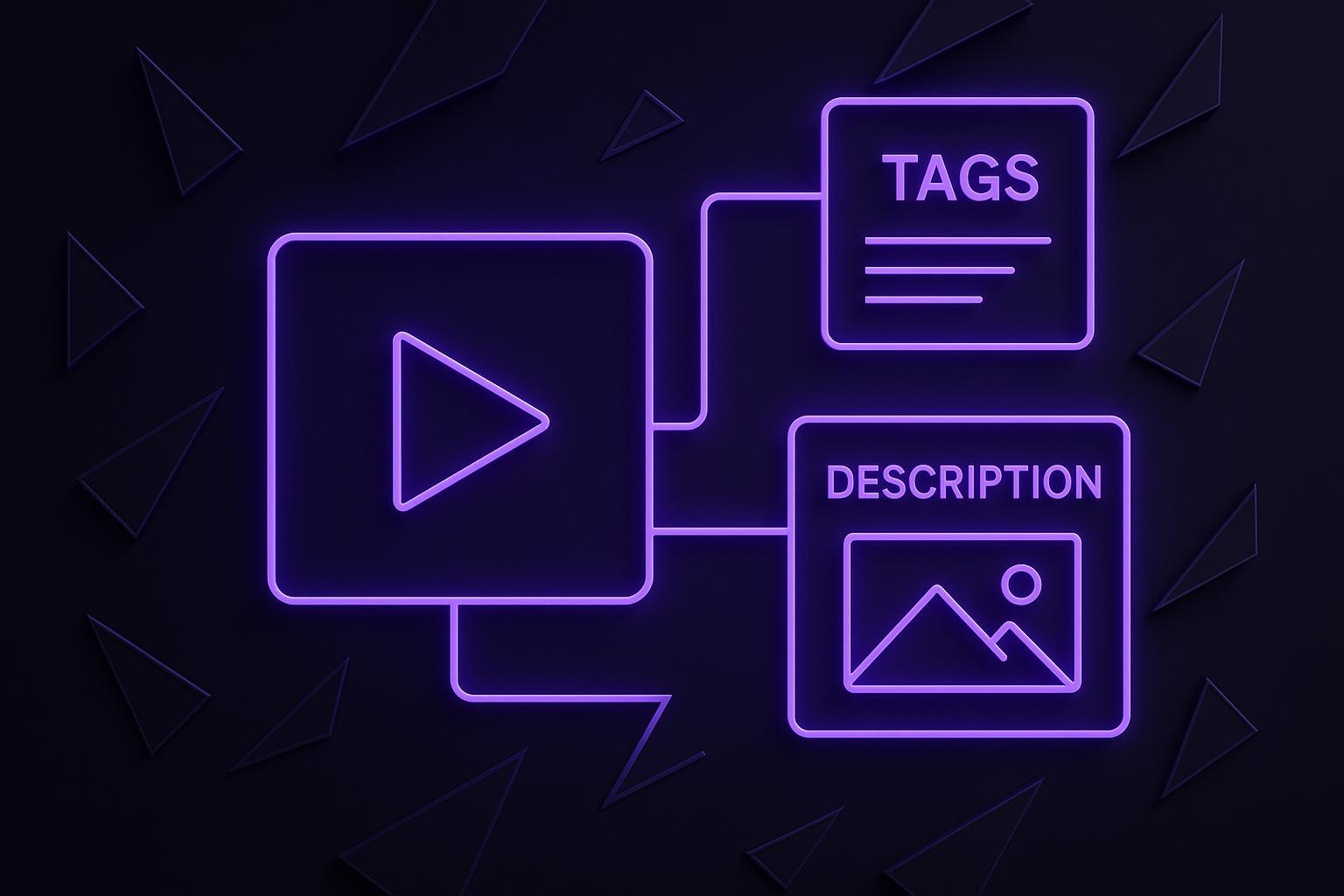
Ultimate Guide to Video SEO Metadata
Video SEO metadata is the key to making your videos more visible on search engines and platforms like YouTube. It includes elements like titles, descriptions, tags, and advanced tools like schema markup to help search engines understand and rank your content. Optimizing these elements ensures your videos reach the right audience and stand out in search results.
Here’s what you’ll learn:
- Titles: Use concise, keyword-focused titles under 60 characters.
- Descriptions: Write 200–300 words with keywords naturally integrated. Add timestamps for better navigation.
- Tags: Add 5–7 relevant tags to improve categorization.
- Schema Markup: Use VideoObject and Clip schema to enable rich snippets and highlight key video moments.
- Thumbnails: Create bold, visually appealing thumbnails to increase click-through rates.
- File Names: Rename video files with descriptive, keyword-rich names.
Plus, strategies for transcripts, captions, and platform-specific optimizations will help you make your videos more accessible and AI-friendly. Whether you’re uploading to YouTube, TikTok, or embedding on your website, this guide covers everything you need to improve your video’s discoverability and engagement.
YouTube SEO Tips For Metadata
Core Video Metadata Elements
Your video's metadata acts as the bridge between your content and its audience. Titles, descriptions, and tags are the three essential components of video SEO. Together, they lay the groundwork for search performance and demand precision and a deep understanding of your target audience.
How to Write SEO-Friendly Video Titles
The title is the first thing viewers and search engines notice. It should be clear, focused on keywords, and concise enough to display fully on any device.
Keep titles under 60 characters. This ensures they appear in full in search results without being cut off. Make sure your primary keyword is included within those first 60 characters to improve visibility.
Your title should align with search intent - what your audience is actively searching for. Instead of a generic title like "Video Tips", opt for something more specific, such as "How to Optimize Video SEO in 2025." This approach helps both algorithms and viewers immediately understand the value of your content. By focusing on intent, you’re setting clear expectations for your audience while boosting your SEO strategy.
Avoid keyword stuffing or misleading clickbait. Search engines are smart enough to recognize when a title doesn’t match the content, and viewers will quickly leave if they feel misled. A great title is a promise - clear, accurate, and reflective of the video’s content.
Writing Video Descriptions That Rank
Descriptions give you more room to provide context about your video while naturally incorporating keywords. Aim for 200–300 words to strike the right balance between SEO optimization and offering real value to viewers.
Start with a clear summary of what your video delivers. Place your primary keyword in the first sentence, and then weave in secondary keywords throughout the rest of the text. This ensures your description is both informative and optimized.
Descriptions should guide viewers and enhance their experience. Timestamps are incredibly helpful, especially if your video covers multiple topics. They create clickable sections for viewers and help search engines index specific parts of your content. For instance, a 15-minute tutorial could be broken down like this:
- 0:00 Introduction
- 2:15 Setting up your workspace
- 6:30 Advanced techniques
- 12:45 Common mistakes to avoid
Add brief calls-to-action like "Subscribe for more" to encourage engagement. Include links to related content - such as blog posts, playlists, or product pages - to drive traffic and create a web of interconnected content.
Ultimately, your description should cater to both search engines and human readers, ensuring discoverability while keeping viewers engaged.
Choosing the Right Tags for Your Videos
Tags are a tool to help algorithms understand and categorize your content. Focus on 5–7 highly relevant tags that range from specific keywords to broader terms.
Start with your primary keyword, then add long-tail variations and related terms that reflect your video’s topic. For example, if your main keyword is "video SEO", your tags could include "YouTube ranking", "SEO for videos", "video content marketing", and "search visibility".
Study successful videos in your niche to find valuable keyword variations. Look for patterns in their tags and adopt similar strategies.
YouTube allows up to 15 hashtags and suggests using at least 10 tags for better categorization. However, relevance is more important than quantity. Using unrelated tags can confuse search algorithms and hurt your rankings.
Combine specific tags (like "video metadata optimization") with broader terms (such as "digital marketing") to increase your chances of appearing in both targeted searches and general discovery feeds.
Avoid overloading your tags with repetitive or irrelevant terms. Stick to tags that genuinely describe your content and align with what your audience is searching for.
Next, we’ll dive into advanced metadata techniques to further boost your video’s discoverability.
Advanced Metadata Optimization Methods
Once you've nailed the basics like titles, descriptions, and tags, it's time to dive into advanced techniques that refine video SEO even further. These methods help search engines better understand your content and make your videos stand out in search results.
Adding Schema Markup to Your Videos
Schema markup is a standardized way to provide search engines with detailed information about your video. It helps platforms like Google understand exactly what your video is about and display it more effectively in search results.
The VideoObject schema is the foundation of video markup. It includes key details like the video's title, description, duration, thumbnail URL, upload date, and interaction stats. By implementing this, you can enable rich search results that feature thumbnails and durations.
For longer videos, Clip markup allows you to define specific segments with timestamps and labels. This makes it easier for search engines to recognize different sections of your video for targeted queries. Additionally, SeekToAction markup works with your timestamps to highlight key moments, further enhancing how your video is displayed in search results.
Google recommends using the JSON-LD format for schema markup because it’s straightforward to implement and maintain. By embedding JSON-LD in your HTML, you can clearly define metadata fields like the video title, description, thumbnail URL, hosting URL, publication date, duration (in ISO 8601 format), and interaction stats.
Once your schema markup is in place, submit a video sitemap through Google Search Console. This alerts Google that your content is ready for indexing. Keep in mind that each sitemap should include no more than 50,000 videos - if you have more, simply create multiple sitemaps.
| Schema Type | Purpose | Best Used For |
|---|---|---|
| VideoObject | Defines core video metadata (title, thumbnail, duration, description) | All video content; enables rich snippets |
| Clip | Highlights specific timestamps or chapters | Multi-topic videos; interactive content |
| SeekToAction | Links to specific moments in videos | Enhanced navigation and engagement |
Once your structured data is ready, the next step is to focus on visuals to drive even more engagement.
Creating Thumbnails That Improve Click-Through Rates
A thumbnail is a crucial piece of visual metadata that directly impacts whether viewers click on your video. Even the most optimized titles and metadata can fall flat if the thumbnail doesn’t grab attention.
Design your thumbnails with bold visuals and clear, close-up expressions to make them stand out in crowded search results. Use minimal text overlays that are easy to read, even on small mobile screens. High-contrast colors and simple designs work best for this.
Make sure your thumbnail aligns with your video’s title to reinforce its message and build trust with viewers. Consistent branding - using specific fonts, colors, or logos - helps your audience recognize your content at a glance.
A well-designed thumbnail can dramatically improve your click-through rate, leading to more views and better search performance.
Video File Names and Technical Metadata
Technical metadata plays a key role in optimizing your video for search engines. Start by renaming your video file with descriptive, hyphenated keywords. For example, instead of "VID_20251201.mp4", use something like "how-to-optimize-video-metadata-2025.mp4." This small step helps search engines understand your content even before processing it.
When uploading your video, embed technical metadata such as duration, publication date, resolution, frame rate, and codec. These details complement your visual and textual metadata, ensuring search engines can index your content thoroughly.
Mobile optimization is another critical factor. Make sure your video loads quickly on mobile devices by using adaptive bitrate streaming and choosing video formats and codecs that are mobile-friendly. Since many mobile users have bandwidth limitations, optimizing your video’s resolution and bitrate is essential. With Google’s mobile-first indexing, these adjustments are more important than ever.
If your video requires a subscription for access, include that detail in your technical metadata. This ensures search engines can accurately assess access permissions. While these technical elements might seem secondary to titles and descriptions, they are the backbone of how search engines categorize and rank your videos.
Platform-Specific Metadata Strategies
Now that you've got the basics of metadata optimization down, it’s time to fine-tune your approach based on the unique features of each platform. Every platform - whether YouTube, TikTok, or your own website - has its own algorithms, character limits, and discovery systems. What grabs attention on YouTube might not work as well on TikTok, and vice versa. Adapting your metadata to suit each platform’s quirks is key to boosting visibility and engagement.
YouTube Metadata Best Practices
YouTube offers a rich metadata system, giving you plenty of opportunities to optimize for both search and recommendations. Here’s how to make the most of it:
- Titles: Keep your title under 60 characters and include your primary keyword early on. This ensures your video’s purpose is clear to both viewers and YouTube’s algorithm.
- Descriptions: Write 200–300 words, starting with your main keyword in the first sentence. Naturally weave in secondary and long-tail keywords. If your video covers multiple topics, add timestamps to help viewers navigate key moments. Include clear calls-to-action and links to related content, blogs, or product pages to enhance the viewer experience.
- Tags: Use 5–7 relevant terms, ranging from specific keywords to broader topics. Combine your primary keyword with long-tail variations and related terms to create a strong content cluster. Add up to 15 hashtags to improve categorization and discoverability.
- Categories: Choose the most relevant category to group your video with similar content, increasing its chances of appearing in recommendations.
- Custom Thumbnails: Design a thumbnail that grabs attention and use a descriptive file name with relevant keywords. While the file name is a minor factor, the visual appeal of the thumbnail can dramatically impact click-through rates.
- Spoken Keywords: Mention your keywords within the video itself. YouTube’s algorithm can index spoken content, giving you another layer of discoverability.
Metadata for Short-Form Videos
Short-form platforms like Instagram Reels, TikTok, and YouTube Shorts have unique challenges due to their character limits and reliance on algorithmic recommendations. A focused metadata strategy is essential here.
- Keywords: Front-load impactful keywords in titles and descriptions. These platforms favor concise, attention-grabbing metadata.
- Hashtags: Use a mix of high-volume and niche hashtags to balance broad reach with targeted engagement.
- TikTok-Specific Tips: While TikTok’s algorithm prioritizes video content and user interaction, captions and on-screen text can enhance SEO. Keywords in file names and visible text overlays also act as metadata signals.
- Broader Strategy: Short-form videos work best as part of a larger content plan. Link them to longer videos or playlists to improve discoverability and engagement.
| Platform | Title Approach | Hashtag Strategy | Key Optimization Focus |
|---|---|---|---|
| YouTube | Under 60 characters, keyword-focused | Up to 15 hashtags | Category selection, timestamps, description |
| Instagram Reels | Concise, front-loaded keywords | Mix of high-volume and niche hashtags | Eye-catching thumbnails, impactful first words |
| TikTok | Quick scanning, keyword highlights | Platform-specific trending hashtags | On-screen text, captions for accessibility |
| YouTube Shorts | Under 60 characters, keyword-focused | Platform-specific hashtag strategy | Quick hooks, visual appeal |
Metadata for Embedded Videos and Watch Pages
When embedding videos on external websites, your approach should differ from platform-native videos. Here, you control the entire context surrounding the video.
- Dedicated Watch Pages: These require standalone metadata. Write detailed 200–300 word descriptions with primary and secondary keywords, and include multiple relevant tags. Use schema markup to help search engines fully understand the video content. Display a formatted transcript on the page, complete with headers and paragraphs for better SEO and user experience. Add brief summaries to provide extra context for search engines.
- Embedded Videos in Blog Posts: The surrounding text plays a big role in metadata here. Use shorter video descriptions and let the blog post provide additional context. Implement VideoObject schema to enhance your chances of earning rich snippets, which can make your video thumbnails and duration stand out in search results.
The main difference between these two approaches lies in context. Dedicated watch pages need to be self-contained, while embedded videos can lean on the surrounding content for added value. Both require careful attention to metadata and page-level optimization to maximize their impact.
sbb-itb-4a26d6a
Transcripts and Captions for Better Metadata
Search engines can’t watch your videos - they depend on text to understand what your content is about. That’s where transcripts and captions come in. They transform spoken words into text that search engines can index and analyze, which boosts both your SEO and accessibility. By offering accurate transcripts, you not only make your videos easier to find but also ensure they’re accessible to people who are deaf, hard of hearing, or simply watching without sound.
This is especially helpful for longer videos. Detailed transcripts can help your content rank better. For instance, a ten-minute video with in-depth explanations and a transcript often outperforms a quick two-minute clip with less substance.
How Transcripts Improve Video SEO
Transcripts act as a vital link between your video content and search engine indexing. Without them, search engines are limited to analyzing your title, description, and tags - missing all the rich details within the video itself. To make your transcript more effective, organize it with clear headers, paragraphs, and timestamps. This not only helps viewers follow along but also allows search engines to better understand the structure and key moments of your content. When you place a well-formatted transcript on the same page as your video, it strengthens the connection between the text and the video for search engines.
Take it a step further by using schema markup. Incorporate JSON-LD with the VideoObject schema to define your video’s metadata, and add Clip markup to highlight specific chapters or timestamps. You can also use the Speakable schema tag to point out sections suited for voice assistants or AI summaries. Make sure your transcripts are publicly accessible - content hidden behind paywalls or logins won’t be indexed.
To optimize for AI-driven search and large language models, tailor your transcripts to address common audience questions. Include detailed explanations and mention specific names, brands, tools, or locations. These details not only make your content clearer but also help AI systems link your video to broader knowledge networks.
Next, let’s explore how captions complement transcripts by improving accessibility and viewer engagement.
Adding Captions to Your Videos
Captions build on the advantages of transcripts by making your videos even more engaging and accessible. They’re especially useful when viewers are in environments where sound isn’t an option. To maximize their effectiveness, ensure captions are accurate - review auto-generated captions or invest in professional ones to minimize errors.
Keep captions in sync with the spoken words, and use fonts that are easy to read. Avoid cluttering the screen with too much text at once. For indexing purposes, provide captions as separate SRT or VTT files.
If your audience spans different regions or languages, consider localizing your captions. This not only broadens your reach but also creates more opportunities for your content to appear in search results for various markets.
Always embed your transcript on the same page as your video rather than placing it elsewhere. If you’re using a platform like WordPress, plugins like Yoast SEO Premium or All in One SEO (AIOSEO) can simplify the process of generating video sitemaps with built-in schema markup. Just remember to keep each sitemap file under the 50,000-video limit for optimal performance.
Using Evelize for Video Production and Metadata
Creating high-quality videos with clear, structured content is the backbone of effective metadata that search engines value. A streamlined production process ensures your keywords, topics, and messaging are aligned across your scripts, videos, and metadata. Evelize simplifies this process, connecting content creation with metadata optimization in a smooth, integrated way.
How Evelize Supports Metadata Preparation
Evelize brings your video production workflow together, directly enhancing metadata optimization. Its script creation and organization tools allow you to craft well-structured content that naturally incorporates essential keywords and topics. By planning your script within Evelize, you can strategically place primary keywords, long-tail variations, and supporting terms throughout your video.
With all your scripts stored in one location, Evelize ensures consistency in terminology and makes it easy to reference high-performing keywords. This consistency is especially useful if you're creating a series, as it reinforces recognizable messaging that search engines reward.
The app's search function is another game-changer. It helps you quickly find specific scripts using keywords or phrases, making it easier to research trending topics or uncover keyword variations. By identifying high-performing keywords in your niche, you can seamlessly integrate them into your script. This ensures your keywords feel natural in your spoken content and are reflected in your metadata.
Evelize also includes social media presets, making it easier to adapt your content for different platforms without sacrificing your SEO strategy. For instance, you can craft keyword-rich YouTube descriptions with timestamps, while optimizing Instagram captions with hashtags and concise descriptions. This flexibility ensures your primary keyword appears in titles across platforms, while long-tail keywords are strategically placed in descriptions and tags, tailored to each platform's algorithm.
Additionally, Evelize's editing tools let you add chapters, timestamps, and visual markers, which support structured schema markup for better search visibility. For example, if your video covers multiple topics - like metadata optimization and schema markup - you can use these features to clearly outline sections. This allows you to implement Clip schema markup, which highlights key moments for search engines. By organizing your video this way, you boost its interactivity and make it more AI-friendly, increasing the chances of appearing in rich search snippets with clickable timestamps.
With these tools, Evelize streamlines the entire process, making it easier to produce high-quality videos that contribute to better SEO performance.
Why Evelize Stands Out for SEO-Focused Creators
Evelize goes beyond metadata basics by elevating video production quality to help your content rank higher and engage viewers. Professional video quality plays a crucial role in SEO, and Evelize ensures your videos meet top-tier standards with 4K resolution, 60 FPS, and HDR support. This level of quality enhances visual elements like thumbnails and transcripts - key components of effective metadata. High-quality videos also keep audiences engaged longer, signaling to search engines that your content is valuable.
The app’s customizable teleprompter settings help you deliver your script with confidence and clarity. With adjustable scrolling speed, font size, and background color, you can tailor the teleprompter to your preferences. This ensures a steady pace and clear pronunciation, resulting in cleaner audio for transcription. Accurate transcripts are vital for search engines to understand your content and for AI systems to analyze and cite it. High-quality transcripts make your content more accessible, discoverable, and quotable.
Evelize also supports the creation of custom thumbnails. While the app focuses on video production rather than thumbnail design, its professional-grade editing tools ensure your videos provide excellent source material for thumbnails. A sharp 4K resolution allows for clear facial expressions, bold visuals, and branded elements - all of which increase click-through rates. Higher click-through rates send positive signals to algorithms, indirectly boosting your SEO.
Consistency is another area where Evelize shines. Its templates and presets help standardize your metadata strategy across all your videos. For example, you can create a template where your script always starts with a primary keyword, includes timestamps for key sections, and ends with a call-to-action. This structure ensures every video supports your metadata goals and maintains a cohesive brand presence.
Finally, Evelize enforces keyword-rich file naming for better indexing. When exporting videos, you can apply consistent naming conventions that include primary keywords, making it easier for search engines to understand your content and its relevance.
Key Takeaways
Main Optimization Strategies Covered
When it comes to making your videos discoverable, video SEO metadata is your starting point. Focus on these five key elements: titles, descriptions, tags, thumbnails, and schema markup. These components work together to help both your audience and search engines grasp the essence of your video before anyone hits play.
- Titles: Keep them concise - stick to under 60 characters for better visibility on mobile devices. Make sure your primary keyword appears within those first 60 characters.
- Descriptions: Aim for 200–300 words. Start with a clear summary that includes your main keyword, and consider adding timestamps and links for added value.
- Tags: Use 5–7 tags that strike a balance between broad and long-tail keywords. This mix can help your video show up in both niche searches and recommendations.
- Thumbnails: Go bold! Use close-up visuals, expressive imagery, or branded designs to make your thumbnails pop while maintaining a consistent style across your video library.
- File Names: Rename your video files with descriptive, keyword-rich names, like "video-seo-2025.mp4", instead of generic titles.
Schema markup is another essential tool. Implementing VideoObject schema can make your video eligible for rich snippets, displaying a thumbnail and duration directly in search results. For longer videos, consider Clip schema to highlight key sections and make your content more interactive.
Don’t overlook the power of transcripts and captions. These not only improve accessibility but also give search engines more context about your video’s content. Publish transcripts alongside your videos, using clear headers and paragraphs to enhance both usability and SEO.
Different platforms require tailored strategies. On YouTube, use native tools like category selection to align your video with similar content. For videos embedded on your website, surround them with contextually rich content and use VideoObject schema to help search engines better understand the video’s purpose.
These strategies lay the groundwork for refining your video SEO and achieving better visibility.
Next Steps for Content Creators
Now that you’ve got the basics down, it’s time to put these strategies into action. The good news? Optimizing metadata takes relatively little effort but can deliver noticeable results. The key is consistency - apply these techniques to every video, not just a select few.
Start by auditing your current video library. Look for areas to improve, like overly long titles, descriptions missing primary keywords, or videos without schema markup. Fixing these issues can breathe new life into older content. For new videos, plan ahead: identify keywords during the scriptwriting phase, structure your content to include timestamps, and prepare detailed descriptions before uploading.
Use tools like Google Search Console and YouTube Analytics to measure your performance. Pay attention to metrics like click-through rates, impressions, and watch time. For example, if impressions are high but clicks are low, your metadata might need to be more compelling. On the other hand, low impressions could signal poor keyword targeting. Use these insights to fine-tune your approach.
As AI becomes a bigger part of search engines, make sure your content is accessible to these systems. Keep transcripts public, include named entities (like specific people or brands), and add detailed summaries below embedded videos. Long-form, well-documented videos that are properly structured tend to perform better. Think of your metadata as your video’s resume - make it informative, engaging, and accurate to attract both viewers and search engines alike.
FAQs
What is schema markup, and how can it improve the visibility of my videos on search engines?
Schema markup is a form of structured data that gives search engines a clearer picture of your content. When it comes to videos, this markup highlights essential details like the title, description, thumbnail, upload date, and duration. This extra layer of information helps search engines showcase your videos more effectively in search results.
Adding video-specific schema markup can improve your chances of appearing in rich snippets, video carousels, and other enhanced search features. This not only increases your video's visibility but can also bring more traffic to your content.
How can I create eye-catching video thumbnails that boost click-through rates?
Creating thumbnails that grab attention is crucial for drawing in viewers and boosting your click-through rates. Start with high-quality images that not only look great but also tie directly to your video's content. Add bold, easy-to-read text to emphasize the main topic or key takeaway, and make sure the text stands out by using colors that contrast with the background.
Stick to a consistent style that aligns with your brand - whether it’s through specific colors, fonts, or design elements. Keep things simple; avoid overcrowding the thumbnail so it remains clear and effective, even when viewed at smaller sizes. A thoughtfully designed thumbnail can make your video pop and entice more people to click.
How can transcripts and captions boost both video SEO and accessibility?
Using transcripts and captions can boost both your video's visibility and its accessibility. Transcripts give search engines valuable text to crawl, increasing the chances of your video showing up in search results. Captions, meanwhile, make your content accessible to viewers who are deaf or hard of hearing, as well as those who prefer watching without sound.
For the best results, make sure your transcripts and captions are precise, include relevant keywords, and are perfectly timed with your video. This not only helps search engines better understand your content but also enhances the viewing experience, encouraging higher engagement and longer watch times.
Related Posts
Ready to Elevate Your Content?
Try Evelize for free and experience the easiest way to create, edit, and share professional videos. Script writing, teleprompter, and powerful video tools - all in one app!


