
Script Readability Checker
Script Readability Checker
Write Scripts That Sound Clear Out Loud
A polished script isn’t just about grammar. It also needs to flow naturally when someone speaks it. A Script Readability Checker helps you test whether your writing is easy to say, easy to follow, and comfortable for a listener to process in real time. That matters for video scripts, speeches, presentations, podcast intros, and voiceovers where clarity shapes the entire experience.
What the Tool Looks For
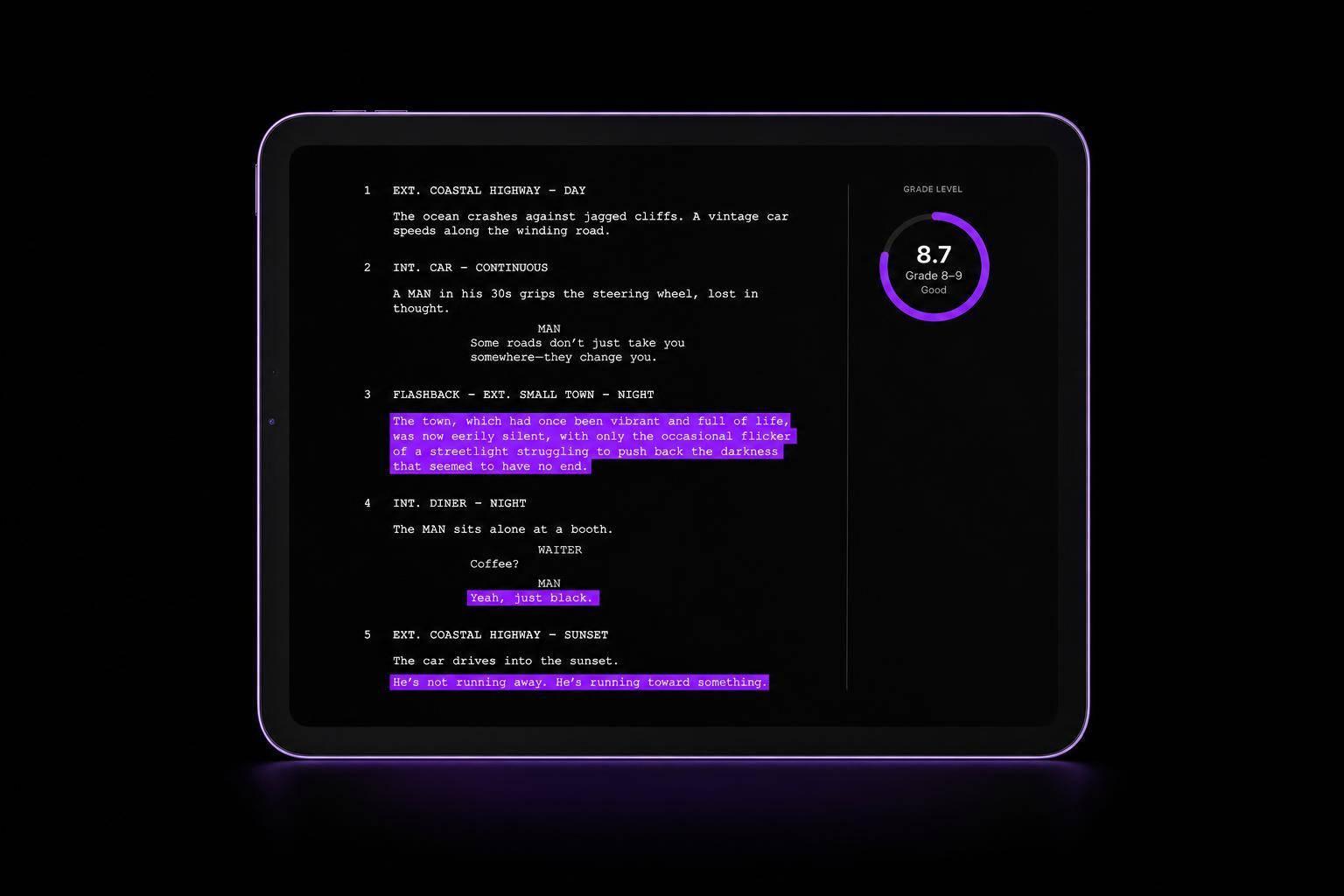
This readability tool reviews sentence length, word difficulty, and estimated grade level using familiar standards like Flesch-Kincaid. It can quickly reveal long sentences, dense phrasing, or complex words that may sound stiff or unnatural when spoken aloud.
Why Spoken Readability Matters
Writing for the ear is different from writing for the page. Listeners don’t get to pause and reread a line, so even strong ideas can lose impact if the wording feels heavy. A Script Readability Checker gives creators a practical way to tighten language, improve rhythm, and reduce friction in delivery.
Better Scripts, Faster Edits
Whether you’re refining a YouTube script or preparing a speech, this tool helps you spot issues early and revise with confidence. The result is cleaner copy, smoother delivery, and a script that sounds more human from the first line to the last.
FAQs
What does this tool actually measure?
It looks at the parts of a script that most affect spoken clarity. That includes average sentence length, complex or less familiar words, and grade-level estimates based on readability formulas such as Flesch-Kincaid. It also highlights sections that may feel too dense or awkward when read aloud, so you can revise with delivery in mind rather than just grammar.
Is a lower grade level always better for scripts?
Not always. The right level depends on your audience, subject, and tone. A training video, keynote, YouTube explainer, and brand ad can all need different levels of complexity. In general, spoken scripts work best when they’re slightly simpler than written articles because listeners can’t re-read a sentence. This tool helps you find that balance without flattening your voice.
Can this help with video scripts, speeches, and voiceovers?
Yes. It’s useful for almost any script meant to be spoken out loud, including video content, podcast intros, presentations, lessons, ads, and speeches. If a line is likely to trip up a speaker or make listeners work too hard, the tool is designed to catch it. That makes it especially helpful during editing, when small wording changes can improve pacing and delivery.
Ready to Elevate Your Content?
Try Evelize for free and experience the easiest way to create, edit, and share professional videos. Script writing, teleprompter, and powerful video tools - all in one app!


